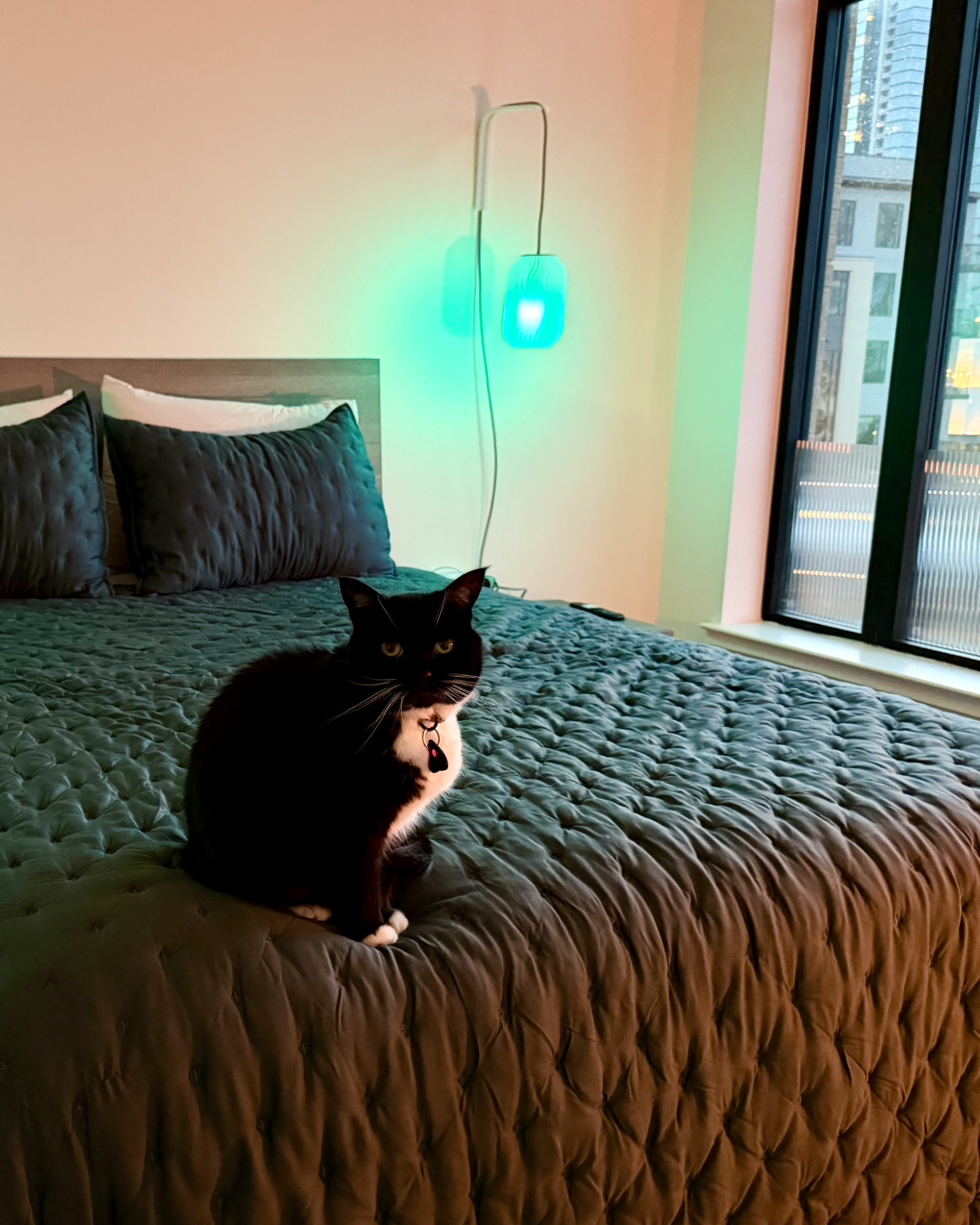
The Big Light and The Bad Vibes
Or how I indulge my moth tendencies.
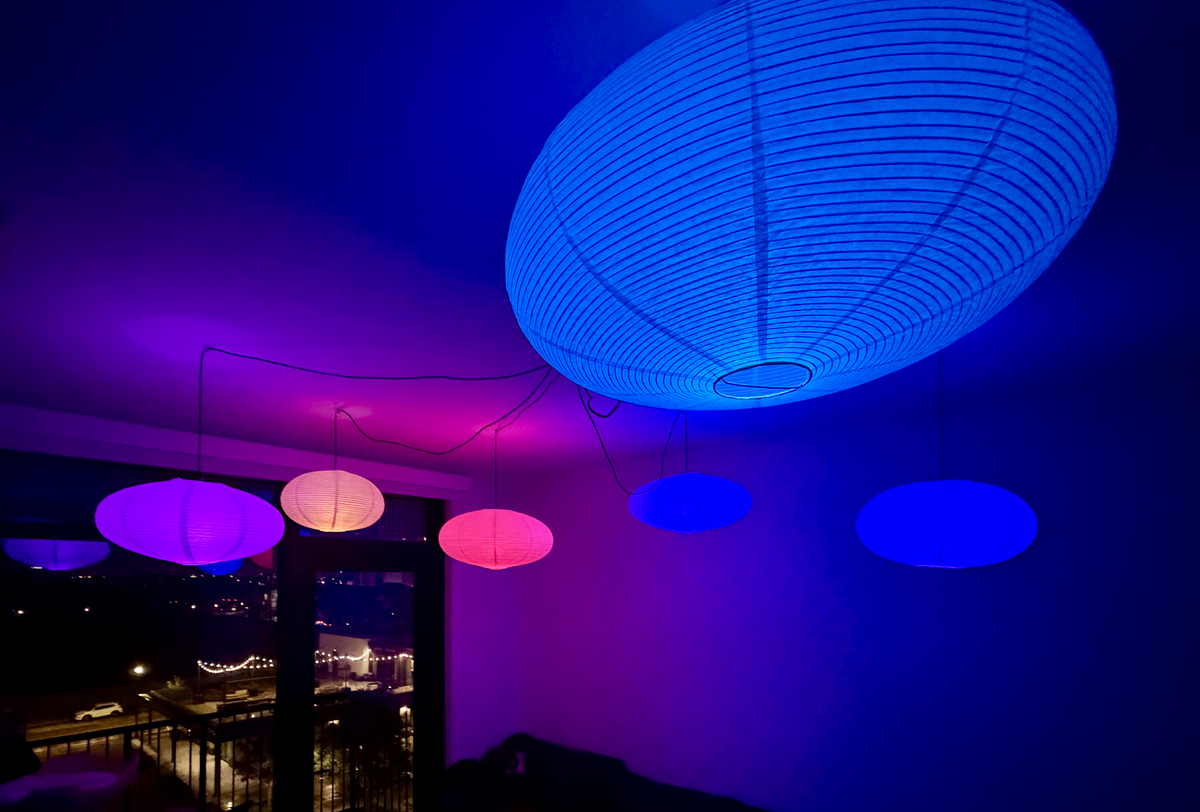
I have spent a lot of my life chasing light. As a kid, I'd wander off from whatever my parents needed and end up in the lighting aisle at the hardware store, staring at the bulbs. Stage lighting at concerts and theater shows captivated me. Flashlights, lasers, strobes, Christmas lights, fog machines. If it was bright, flashy, or colorful, I was all about it.
It's because light has this ephemeral quality. You can't really see it until it interacts with something else. It only makes itself known when it has something to land on. It’s one of those things that can completely change a room depending on the color or intensity. Everything could remain the same, but change the light and the whole vibe shifts.
A few years as a theater techie in high school gave me just enough exposure to know what I wanted and exactly why I couldn't have it at home. Real lighting control, like the kind you’d find at the theatre, was out of reach for a hobbyist: it was expensive, required a lot of prerequisite hardware, and assumed you already understood the terms, things like DMX, control boards, fixture profiles, cue stacks, and on and on.
Smart home tech changed the math, not just because the hardware got cheaper, though that's a huge part of it, but because the information became accessible, too. It found an audience of fellow tinkerers, and a community grew around it. Forums, blog posts, people who figured it out and wrote it down. You can learn how to do most of this now without needing special access or anyone's permission.
So let’s talk about “the big light.”
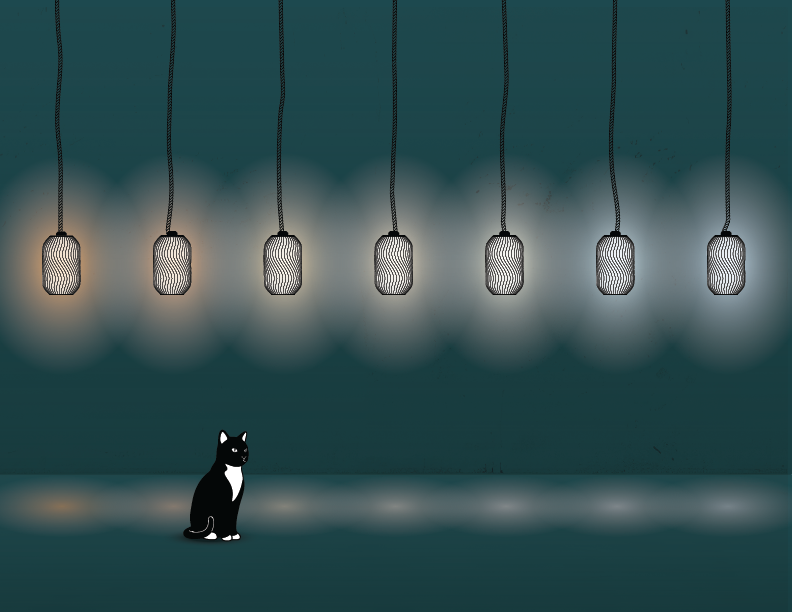
The big light is the single fixture in the middle of the ceiling: one brightness, one color, and, in today’s LED era, usually a sterile, cold bluish white. It's the fluorescent tube in a school hallway, the office ceiling you sat under for eight hours, wondering why you felt wrung out by 3 pm. It's an operating room. That light is built for institutions. Places designed to keep you alert and processing, not places that make you feel at home.
Think about how humans actually lit their evenings for most of the history of our species: Fire. You know, candles, oil lamps, the campfires. Warm, flickering, next to you. We've had electric light for over a century, but firelight for hundreds of thousands of years before that. Fewer sources, lower down, warmer, dimmer. That's really all it takes. The difference between a room designed for action and a room for relaxing.
That's what I fell in love with: the ability to control an element that affects how a space feels, and how I feel in it.
This is about how I do it now, what I've built, and what I've learned, because I've made some curious choices (which I like to call “the creative process”). Some of it gets a little technical, but I'll be your translator. With any luck, I can add to and update the same body of knowledge that exists only because people tinkered around and shared what they learned.
But fair warning: if you're anything like me, you might have an idea to hack some theatrical lighting protocols into your smart home to run a disco ball. The kid in the lighting aisle, the one who spent more time watching the lighting rigs than the theatre production, would be thrilled. So here’s the story of how I got here.
Enough Rope to Tie My Own Knots
I had heard a lot about Home Assistant (a free, open-source smart home platform) from friends, coworkers, and home automators all over the internet. The level of control, the automations you can build, and the way it can connect to basically anything you can imagine. It sounded cool, but I never switched because migrating everything over to it seemed like a huge project I just wasn’t ready to pursue (if you've ever had to reset your smart home, you know which level of hell I’m talking about). Plus, my day job keeps me busy with wrangling software integrations, so I didn’t want to pile on some more. I was already all-in on HomeKit and didn’t have many complaints.
Then I hit a wall. A literal brick wall.
I was living in an apartment with a pretty cursed WiFi situation. It was a historic, century-old building, the town’s old newspaper printing plant. Very cute, very industrial, so much so that a giant brick wall ran straight down the middle of the unit, leaving the network gear on one side, and pretty much everything else on the other. To make things worse, the WiFi was managed by the building because it was bundled in with all of the utilities. I had no real control over any of it. For a smart home running on HomeKit alone, the managed WiFi was… manageable, but the brick wall was the worst-case scenario. Devices dropped constantly. Half the house couldn't reliably connect to the other half most of the time, and when it did, the connection was so inconsistent it was unusable. It was bad. I’m convinced that if I'd had full control over my own network, I could have fixed it, or at least earned the peace of mind that comes from knowing I'd tried everything. But I didn’t. So I couldn't. My smart home turned into a daily troubleshooting exercise, so I was ready to try anything. This was my sign to take on the project I probably should have started ages ago.
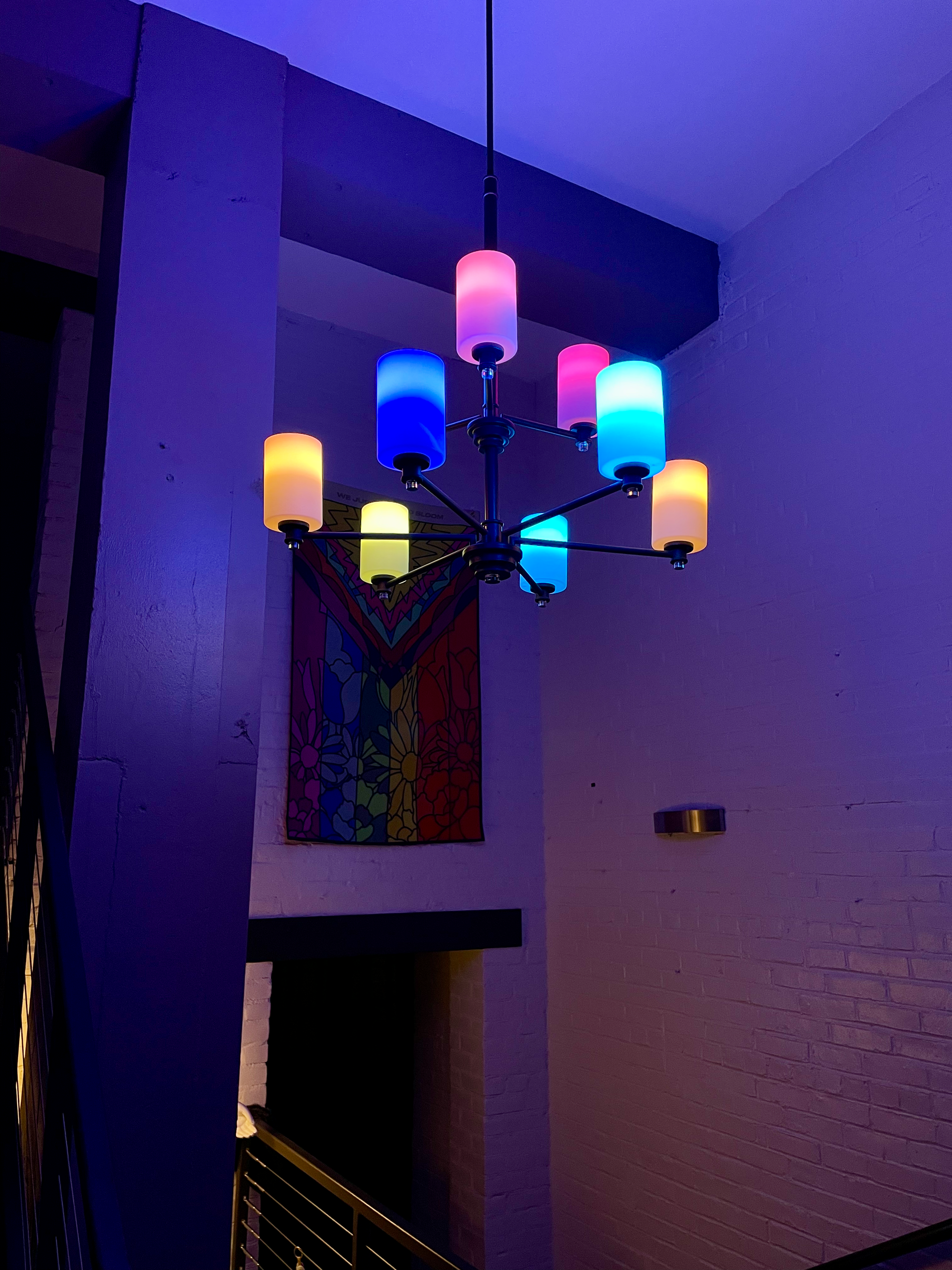
As annoying as the brick wall was, it sure was an industrial vibe. 😍
Home Assistant is free, open-source software that stitches together many different smart devices into one smart home. Instead of every device phoning its own manufacturer's cloud and you juggling six apps, everything talks to one hub that lives on your own network, in your own home. You own it. No subscriptions. It keeps working when the internet doesn't. It’s like HomeKit, but it’s compatible with everything and offers so much more control.
I really liked the idea of self-hosting my own instance of the software. I ran it on my Mac mini, expecting to finally regain control of my smart home and have some more options to throw at the wall, but once again ran straight into the exact thing I was trying to avoid: it was more technical than I wanted my downtime to be. There were all sorts of issues and gotchas that required workarounds. I navigate technical obstacles all day for work. I didn't want my evenings to feel like a second on-call shift. I wanted to make things, not keep them running.
So I bought one of Home Assistant’s own hardware products, the Home Assistant Green. It's a small, dedicated box that you plug in, connect to your network, and it just works. No babysitting. It is completely worth the money, and I wish I'd started there instead of treating the hard path as some kind of entry fee. I paid $139 for a refurbished one, so now that they're $199 new (up from $99 at launch), that's the route I'd suggest if you can find one. I'd still pay full price, though. Buying back the evenings I lost fighting my Mac mini would have been worth more than that.
What I will say in HA's defense, in case you’re like me and a bit intimidated by the sheer amount of possibilities, is that there is an enormous community around it. Forums, write-ups, videos, and people who have already hit your exact problem and posted the fix. When I got stuck, between those and a few chats with Claude, I could usually claw my way out by bedtime. The barrier used to be finding the right person to ask, relying on trial and error, or having the patience to dig through dense technical guides. Now, the knowledge is so much more accessible.
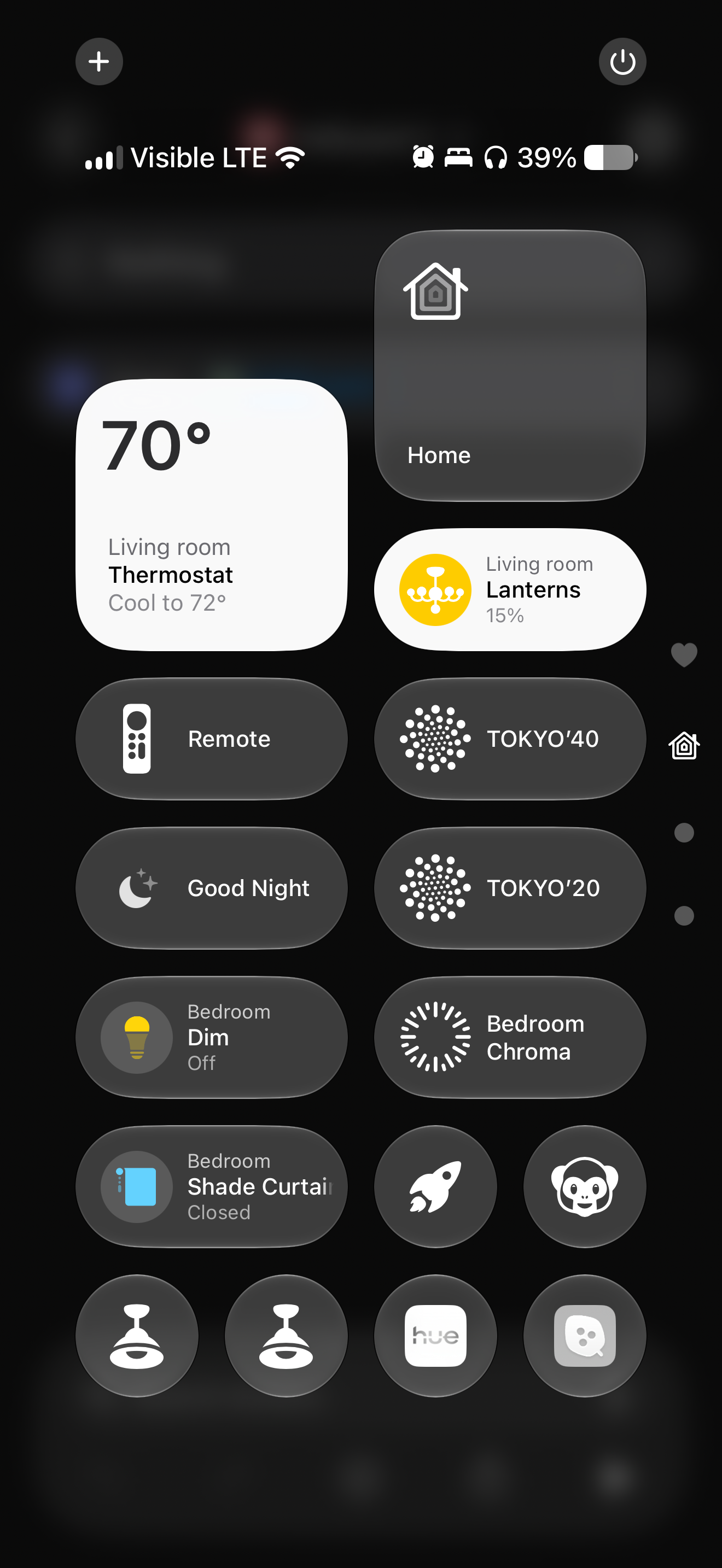
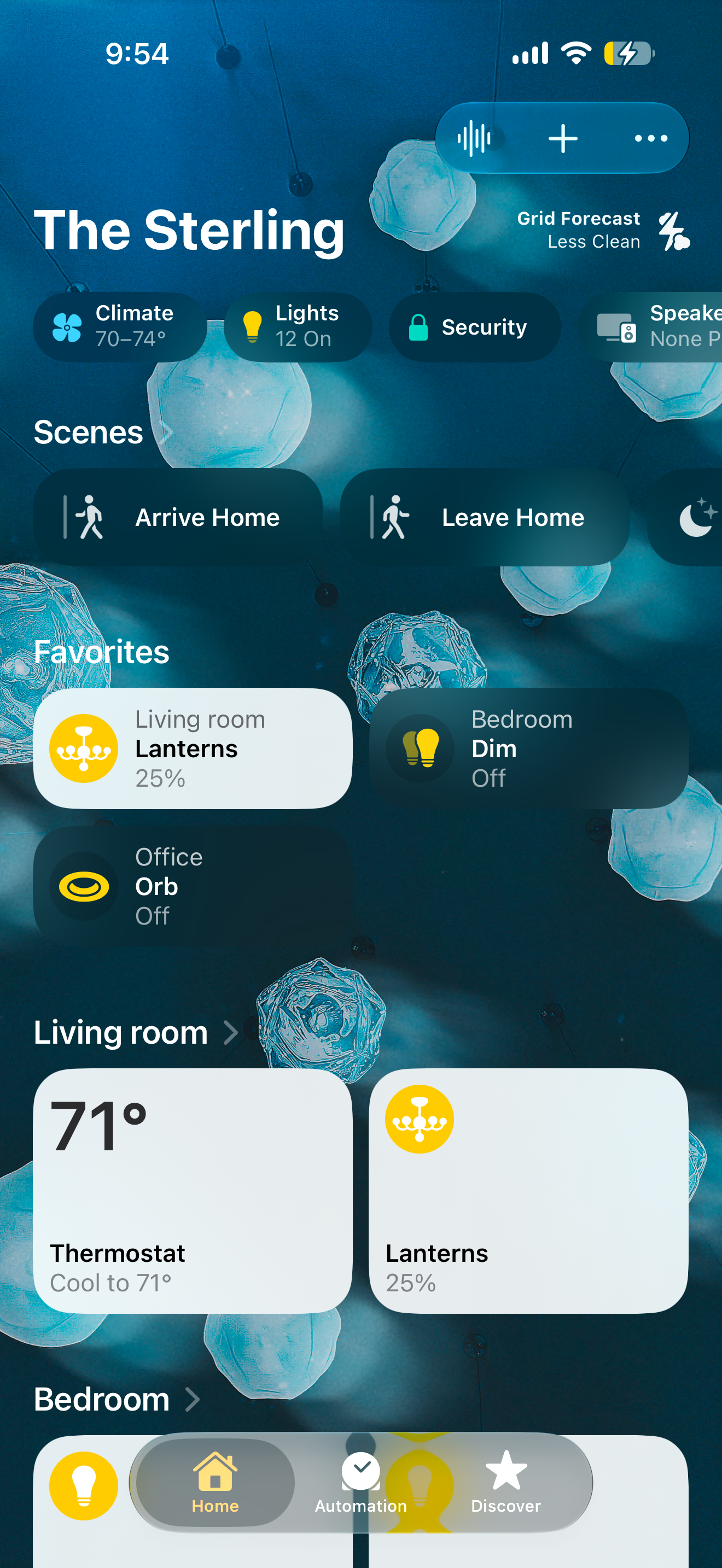
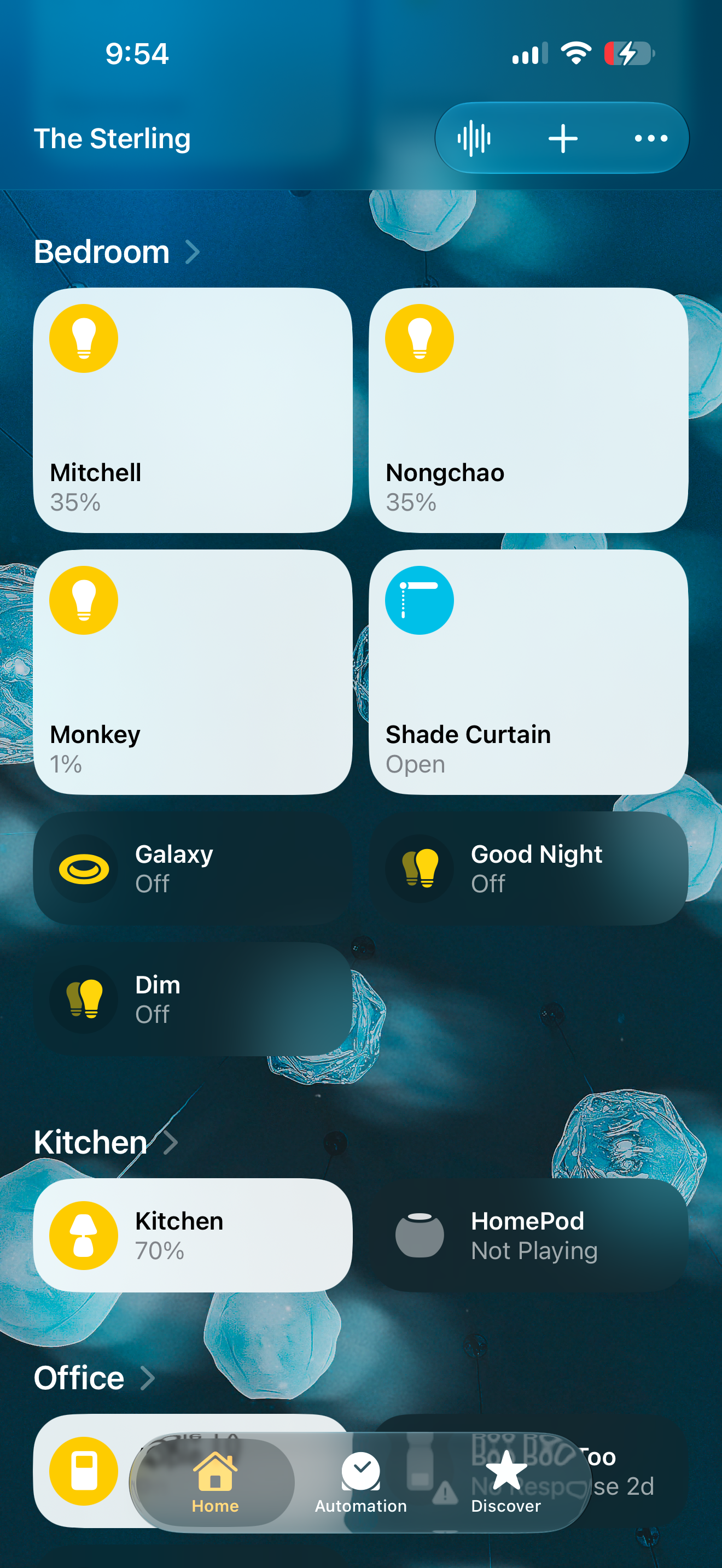
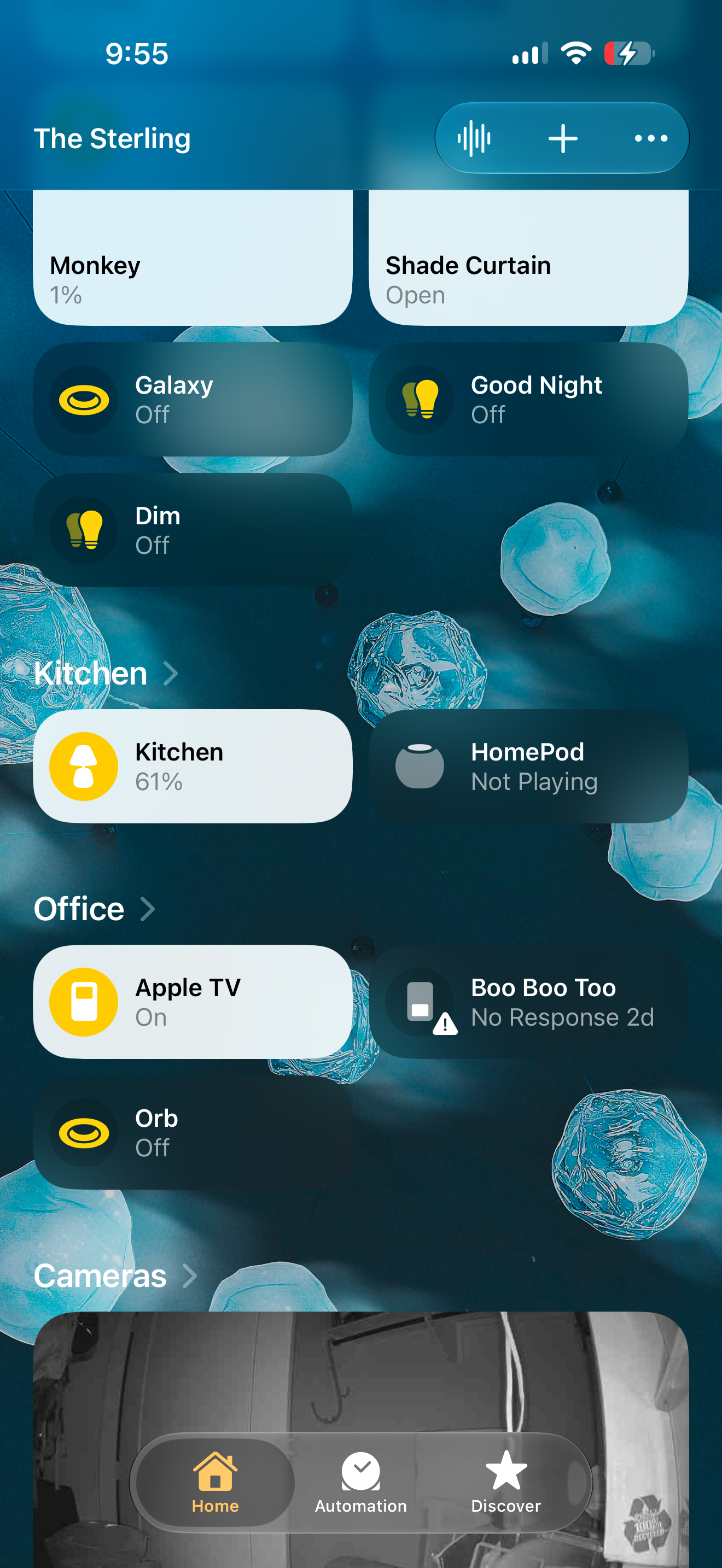
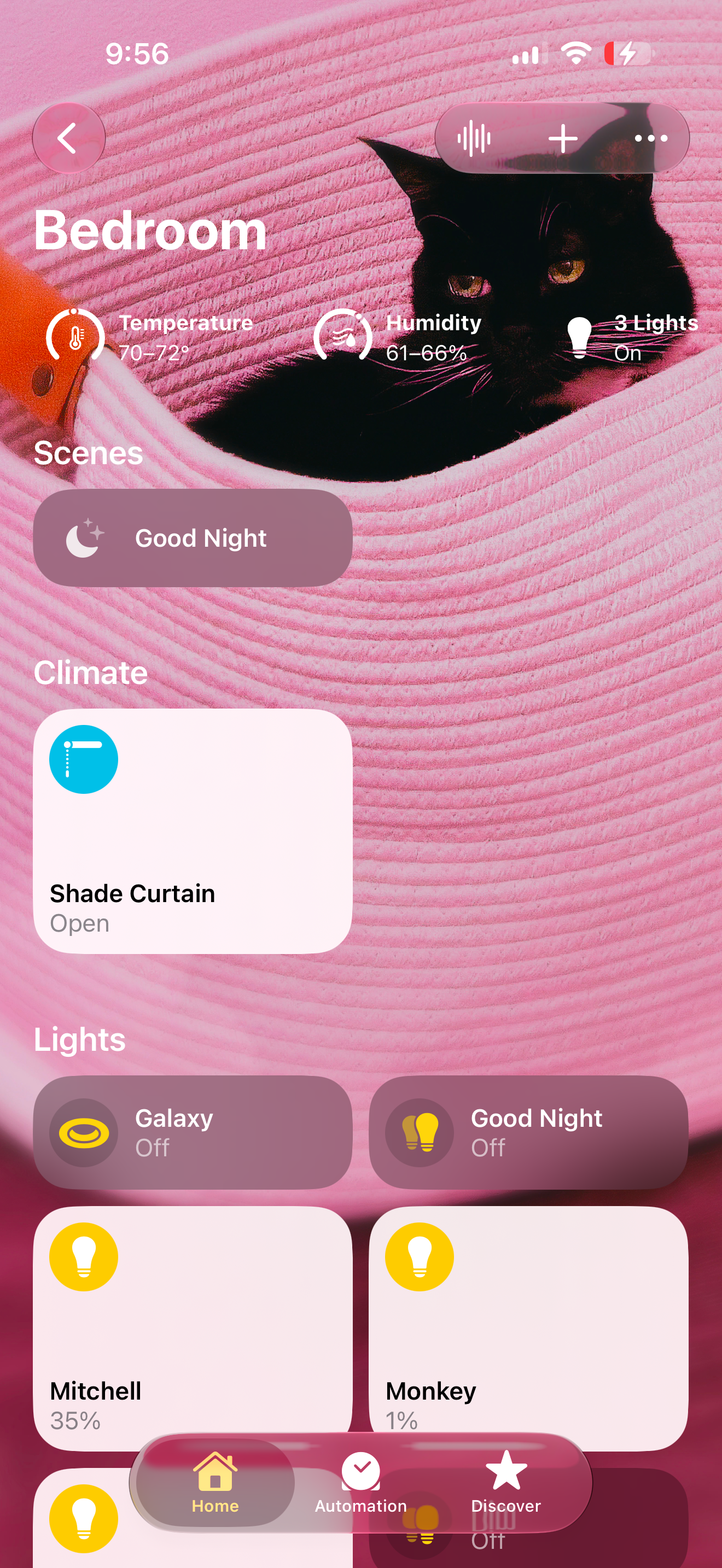
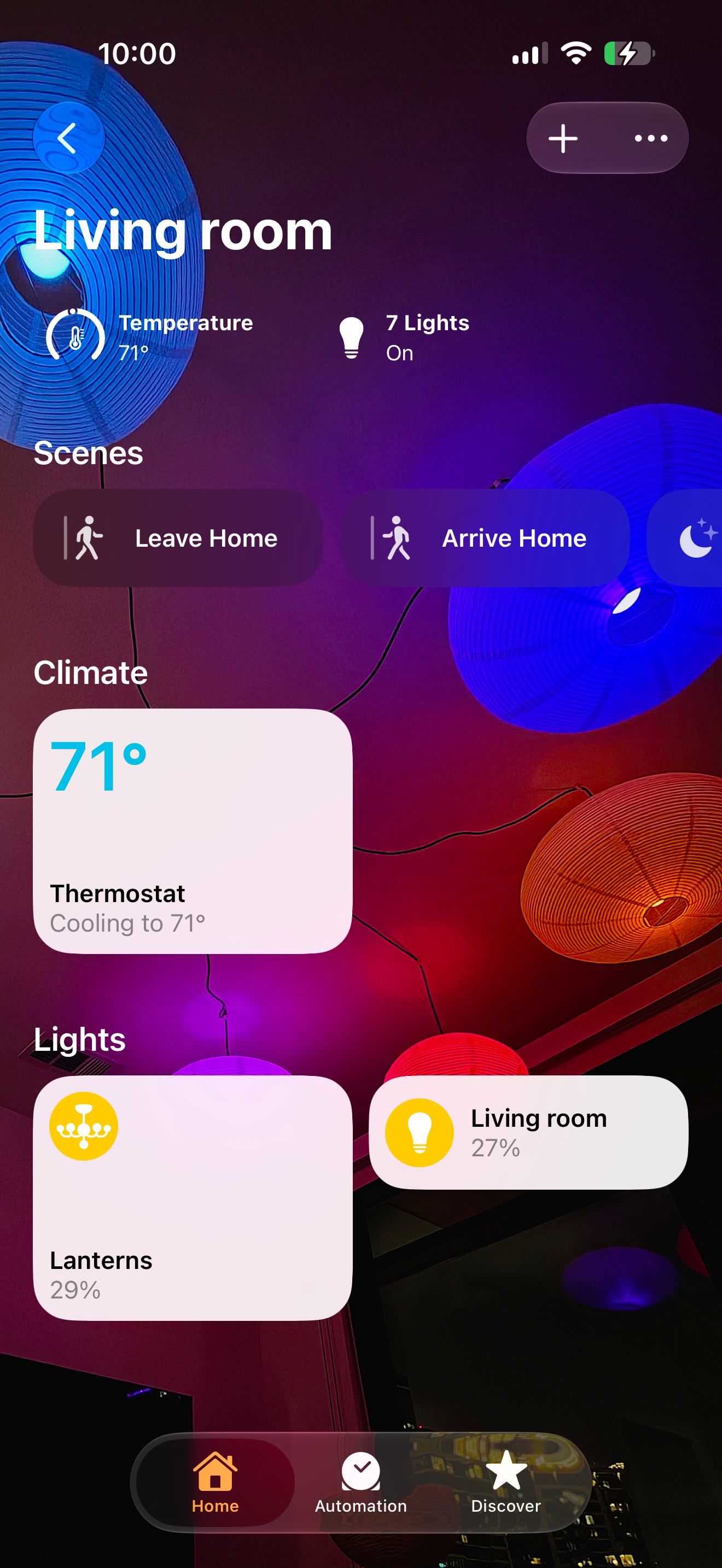
I didn't leave my beloved HomeKit for good, though. This was one of the most pleasant surprises of this setup. I didn’t need to leave it. HomeKit excels in its simplicity: controls are built into iOS, easily accessible in Control Center, and a HomeKit-enabled device generally functions immediately and reliably. That ease is real, and I still rely on it. But that ease has a price. The smart devices tend to be pricier and more limited, and the platform itself caps how far you can push. Apple’s walled garden is working as intended, trading some functionality for a better experience. HomeKit doesn't give you enough rope to hang yourself. Sometimes you want the rope.
But now, Home Assistant is the brain; it’s the thing that decides what happens and when. And devices set up through Home Assistant sync over to HomeKit, where it does what it does best: the deep Apple integration and the tap-it-from-my-phone convenience. You do not have to pick a side. You just stop asking HomeKit to be the brain and hand that job to something that's far more capable.
Three Terms You’ll Keep Seeing
Stepping outside the walled garden introduces you to a world of possibilities, and each one seems to come with its own technical standard. I never really understood them very well, nor did I need to with HomeKit, but I wish I had learned more about them before I started buying smart devices, which in hindsight seems pretty random. If you’re new to this, you'll keep seeing three words: Zigbee, Thread, Matter. Here's what they do in simple terms, and what I actually use them for.
🧵 Thread — newer, lower-power mesh; needs a border router (HomePod, Apple TV, etc.)
🤝 Matter — not a network, a shared language so devices can talk across brands (Zigbee not included).
Zigbee is your own private little network for the small, cheap, smart devices. My motion sensors, a remote, and a handful of plugs that turn dumb devices into smart ones all communicate over Zigbee. It doesn't touch your WiFi, so you’ll need something called a hub or a gateway to get the two networks talking. Zigbee is cool because it builds its own mesh network, and every plugged-in device on it acts as a repeater, so the network actually gets stronger the more you add to it. I first reached for Zigbee, trying to beat the brick wall, and it helped a bit. The mesh hopped right over the dead zones that were strangling my WiFi devices. In the end, every house has its own set of problems; no single network saves you. You’ll probably end up running a few side by side, each one good at something different.
Thread is the newer one, still figuring itself out. A low-power mesh that's Zigbee's little sibling, except instead of a gateway it needs a "border router," something Apple, Google, or Amazon has to provide. If you've got HomePods or an Apple TV, they'll handle it automatically. The nice part is you're not hostage to one box the way you are with a Zigbee gateway: any border router from any brand can join the same mesh, and you can run several at once. I have some Nanoleaf bulbs that live on Thread, but they've got so many limitations and other quirks that they're the last bulbs I reach for.
Matter is the one that confuses everybody because it's not a network at all. It's meant to be a common language, the agreement that lets devices talk to each other no matter who made them. It runs over WiFi, Thread, and Ethernet. Not Zigbee, which is the part nobody mentions in the marketing. If you want your Zigbee stuff in a Matter setup, your hub has to bridge it in and pretend on its behalf. So the universal translator doesn't speak the cheapest, most popular dialect in the house. Wonderful in theory. Still an enigma for me.
Out of these common standards, Zigbee is my favorite. It's solid. It's boring. The device selection is huge and inexpensive, and the mesh just works. Thread is the better idea, and I keep wanting to like it more than I do. Whether that's Thread's fault or Nanoleaf's I honestly can't tell, which is its own kind of answer: when you can't diagnose your own network, you're not a user, you're a beta tester. So if you're standing in the metaphorical aisle today and just want reliability, Zigbee is the safe bet. If you like living a little closer to the frontier, mix in Thread and enjoy the occasional adventure.
The Button That Didn't Work
Good automation has to just work, and it has to be better than a light switch. No app, no menus, no magic phrase. The light should already be right when you walk into the room, and you should never once wonder why.
I learned this from my husband.
I'm the one in the relationship who finds all of this fun. The colored lights, the sensors, the way a room can change its whole mood without anybody touching a switch- that's my idea of a good time. He could not care less. And I mean that with total affection, because he's right. Pulling up a dashboard, learning which scene is which…Nerdy? Yes. Practical? No. He wants to walk into the kitchen and have it be a nice place to be. That's it. That's the full spec, and understandably so.
If you have a smart home, there's a decent chance you're one of these two people, and an even better chance you live with the other one. One of you sees a pile of possibilities. The other one just wants the dang lights to turn on.
For a while, the reality at our place was not elegant. He used the wall switches (what year is it… 2005?), and I taught him how to change the colors by hand if he ever wanted to, which he seldom did. My big plan to fix this was something I'd been calling “the magic Hue button”: one button that he could press to set the kitchen just so, no app, no menus, but magically picking the right scene for the right time. I bought a little Zigbee remote to make it real. And while the Zigbee mesh flowed effortlessly around the wall, the bulbs I was trying to reach talked to the smart home over WiFi. Of course, the brick wall, my arch-nemesis, was once again causing trouble.
The remote never worked. But that’s OK; this constraint had me asking a different question: what if he didn't have to think about it at all? The scenes I cycle through all day, cool in the morning, warm at night, all the little shifts I love, are something I care about, and he simply doesn't. A button, even a magic one that actually connected and knew your intentions, would still be asking him to do something he doesn’t need to do. The real fix was having no button at all.

So that became the bar the home automations had to clear. We’re not going for “easier to control.” We’re going for “easier to live with.”
(The wall, for the record, eventually won. We moved before I ever got the chance to claim victory. And at our new place, the WiFi flows strongly, freely, and is managed by me!)
A Light With No Job
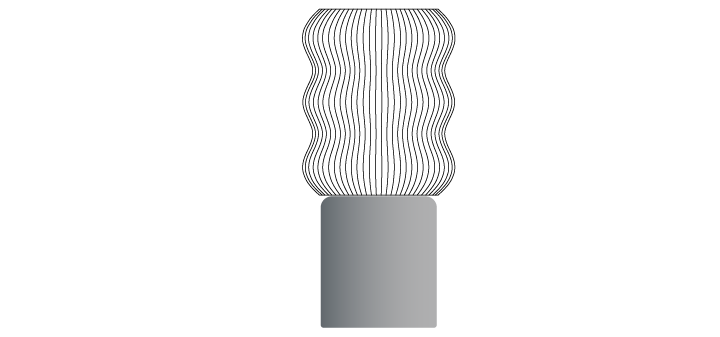
Our kitchen had a dark corner that had been bothering me for a while. There was only one thing that could fix it: a lamp (was I a moth in a past life?). Most lights have a job to do. This one's just for looking nice.
The big light's job is to flood the room so you can find the thing you dropped. The under-cabinet lights have a job too: light the counter so you don't slice your thumb. Those are functional lights, and a functional light should get brighter when the room is dark, because that's when you need to see.
This isn’t that kind of light. This is a mood light. Its only job is to add some atmosphere, some soul. It lives in a darker corner of the kitchen, and it exists to make the room feel nice, warm, lived in. Once you accept that it isn't trying to be useful, everything it does starts to make sense.
Let me say what you're probably thinking: this is a lot of engineering for a light that sits in a corner looking nice. (I know.)
Here's its day:
It wakes up on motion, but only after the house has already ‘woken up’. While we're asleep, a ‘sleep mode’ condition keeps everything dark, so nobody gets blinded when wandering in at 3 am for a glass of water. At 5 am, sleep mode lifts, and the first person to walk into the kitchen is greeted by the light turning on by itself. Nobody flips a switch. You just walk in, and it's there, easing you into the day.
Boo Boo does her wandering before sleep mode lifts. I'm fairly sure she spends part of it on the kitchen counter, which she is not allowed to do. We have never caught her. We just hear the thump of her getting down.
The motion sensor covers the counter, though. Sleep mode only keeps the light from responding; the sensor still notices. So there's probably a row of 3 am motion events sitting in my Home Assistant history that would settle it. I haven't looked. Some evidence you don't want.
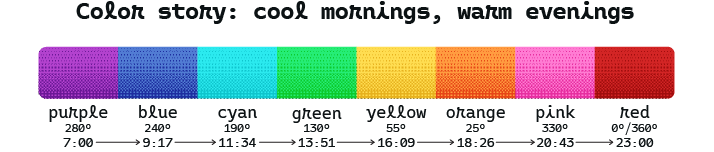
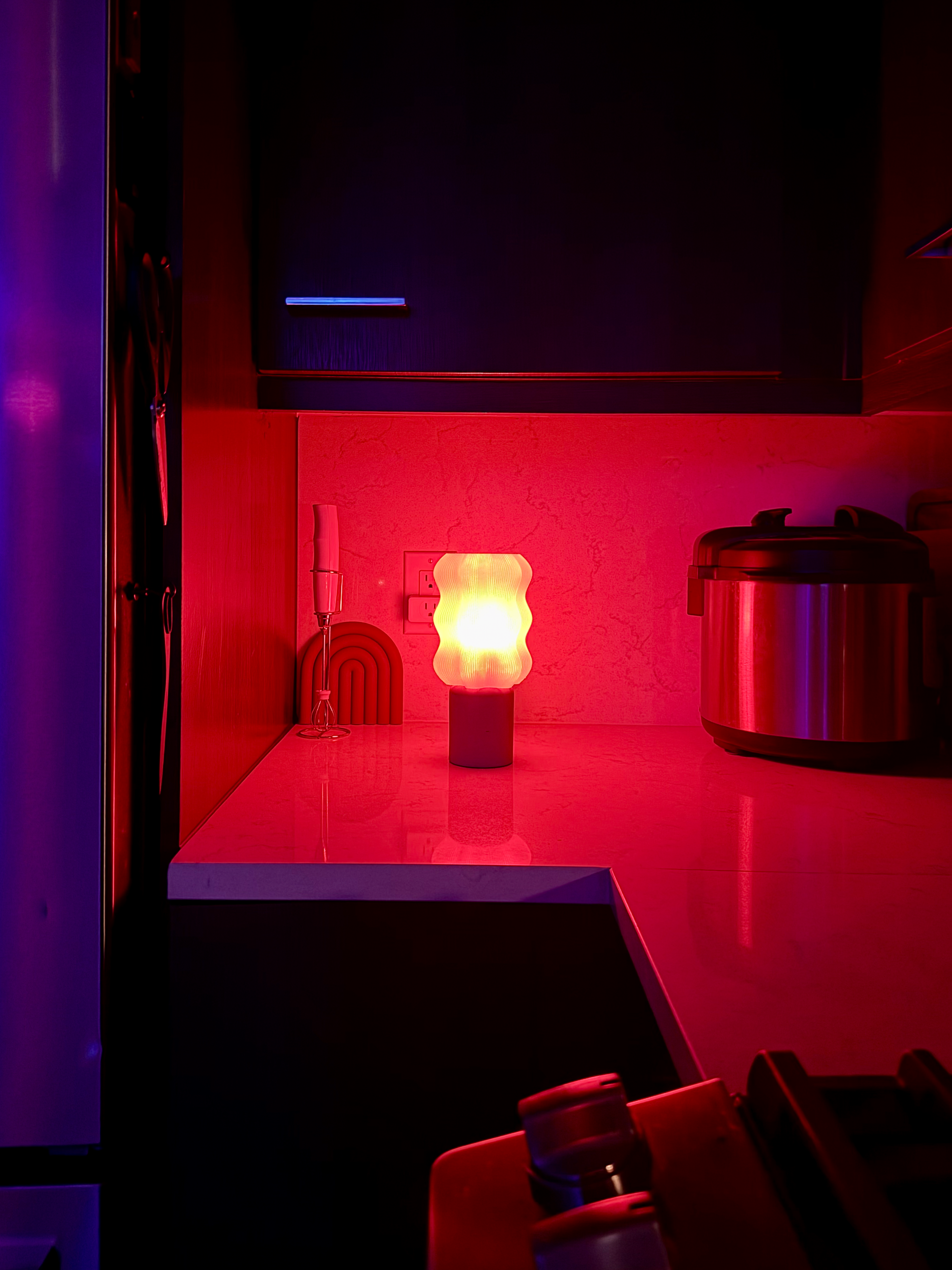
Once it’s on, the color starts to drift. Over the course of the day, the color traverses the chromatic spectrum from cool in the morning to warm at night, following the same arc as the sun. Cool and crisp when you're trying to wake up, warm and low when the day is winding down. It just moves, all day, on its own.
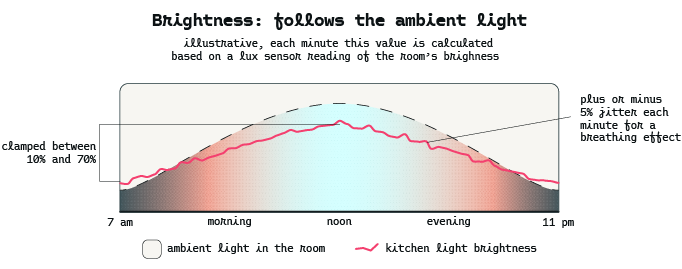
Its brightness follows the room, not the clock, which feels backward. When the room is already bright, when the under-cabinet lights are on, or when the afternoon light is pouring in, the mood light comes up too. When the room goes dark, it settles into a soft glow. A functional light would do the opposite. This one matches the room’s energy instead.
Time lapse of the kitchen light during mid morning.
That's the light my husband never thinks about. It sits there without calling for attention. You'd never notice it doing its job. You'd only notice if it stopped. Which means it's working exactly as I intended.
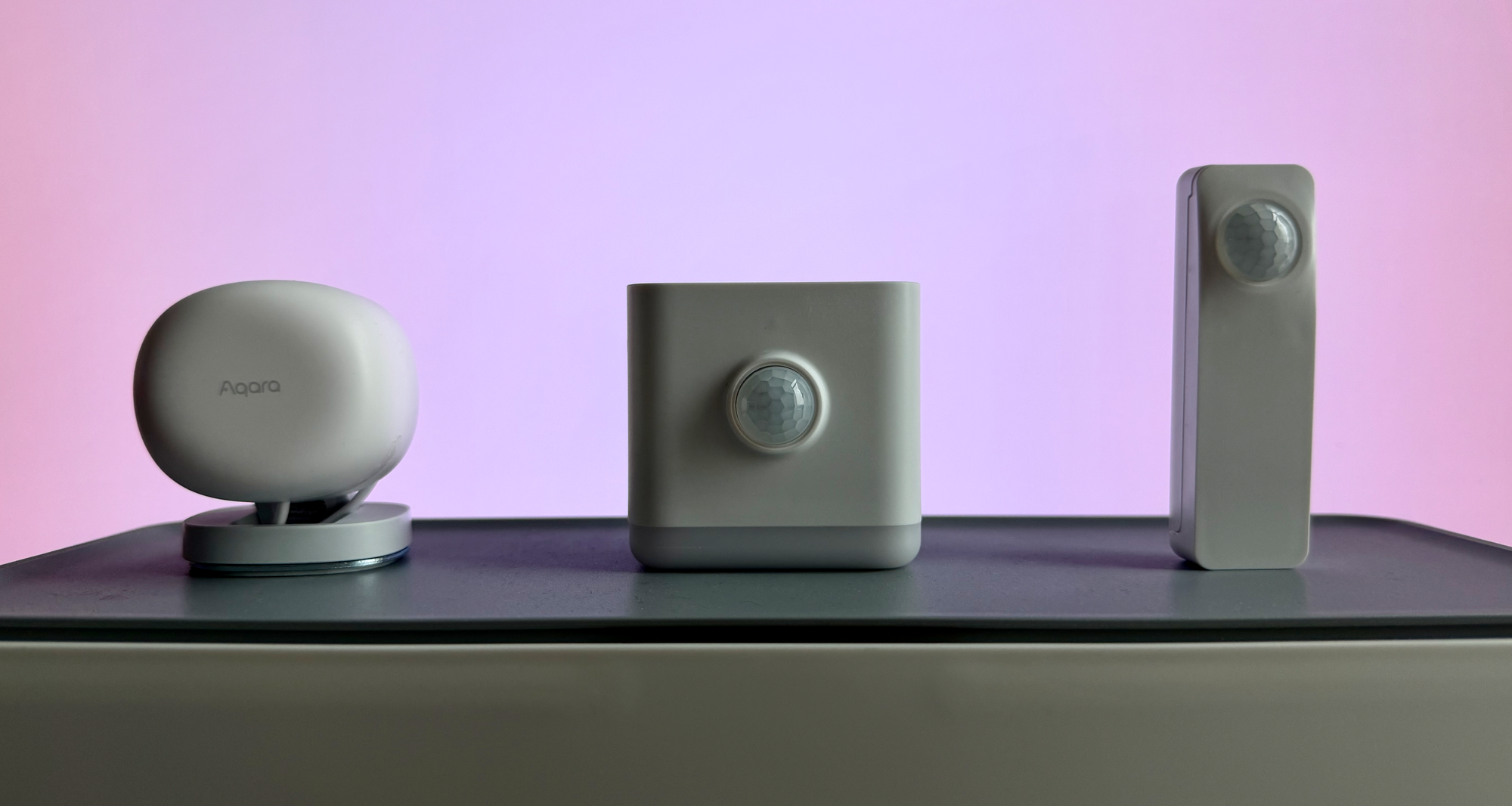
All of that depends on the light knowing how bright the room is, and I assumed I already owned something that could tell it. I had a handful of spare smart home sensors, plus a presence sensor waiting for the right application (the Aqara FP1E, a great little device). Seems like the kind of thing they'd all just know, right? Turns out a motion sensor, a lux sensor, and a presence sensor are three different products. I tried them anyway, just to see what gets exposed in Home Assistant, but the only good answer was one more gadget for the arsenal. So I bought the fifteen-dollar one that does both and moved on.
There's one more thing the light does. Even when the color isn't drifting, the room's own light is holding steady, and no one's walked in for an hour, it's never quite still. It breathes, a few percent up, then down, then up again, a cycle that never stops. It is virtually imperceptible, but the variation in brightness plus the color drift is an example of the sum being greater than its parts.
I added this because a perfectly still light, sitting in a dark corner, is just a lamp. But give it the faintest pulse, the smallest sense of movement, and it comes to life. It exists to bring some life into a corner that was otherwise dark.
The trick is the amount. Too much movement and you've made a distraction, a light that pulses at you, demanding to be watched. Too little and you're back to boring territory. The art of it is finding the breath that's there, but not there.
What tickles me about this effect is that you can't catch it in the act. Each change is a few percent, eased over thirty seconds, slower than your eye bothers to track. Look straight at the light, and it seems to be sitting still. Glance away, glance back, and it's already moved on without you.
That vibe check is how I tuned it. The early versions breathed too slowly, a cycle so long and lazy you'd never get that little flicker of wait. Was it always like that? So I adjusted the swing, not enough to see it move, just enough to make the change land when you weren't looking and then glanced back. I kept nudging the percentage until the corner no longer felt empty.
A few percent of brightness, eased every thirty seconds, on a light whose entire job is to be slightly nice in a corner, hand-tuned across several evenings so that someone who doesn't care about lighting will never notice it. By any sane measure, it's far more effort than the result could justify. Sanity was never really the metric. The efficient version of this light is a lamp you turn on.
There's this story about a young Steve Jobs building a fence with his dad. His father made him build the back just as carefully as the front, even though no one but them would ever see it. “Nobody will know,” Jobs said. His father's answer: “You will.”
That's the breathing effect. Nobody will ever notice it. The reason my husband never has to think about the kitchen light is that I haven't stopped. Invisible is expensive.

I know it's there. The room is better for it, even if I can't point to exactly why. There's a difference between making something and making something you're proud of. Something happens in your brain when it's the latter, a kind of satisfaction that a faster, sloppier version never gives you. This is that.
If you have a dark, lifeless corner in your house, here’s the YAML code block to get you started. Swap YOUR_KITCHEN_LIGHT and YOUR_ILLUMINANCE_SENSOR for your own entities and tune the numbers to taste: the time windows, the hue ranges, and the transition length. The comments explain what each block is doing.
# ============================================================
# Ambient Kitchen - Three Phase Color Journey
#
# Before using: replace the two placeholders below (search for
# "YOUR_") with your own entity IDs.
#   - light.YOUR_KITCHEN_LIGHT       -> the light to control
#   - sensor.YOUR_ILLUMINANCE_SENSOR -> a lux/illuminance sensor
#     (skip the brightness section if you don't have one — see
#     the note above lux_brightness below)
# ============================================================

alias: Ambient Kitchen - Three Phase Color Journey
description: >
  Chromatic drift through 8 anchor colors from 7am to 11pm: purple, blue, cyan,
  green, yellow, orange, pink, red — each pair connected by the shortest path
  around the color wheel. Overnight (11pm-7am), holds in the warm range with
  jitter. Brightness driven by ambient lux with breathing effect.

# Re-evaluate every minute. This is what makes the color feel like it's
# continuously drifting rather than jumping at fixed checkpoints.
triggers:
  - minutes: /1
    trigger: time_pattern

# Only bother running the math below if the light is actually on —
# no point recalculating color for a light nobody's looking at.
conditions:
  - condition: state
    entity_id: light.YOUR_KITCHEN_LIGHT
    state: "on"

actions:
  - variables:

      # --- Where are we in the day? ---

      # Minutes elapsed since midnight (0-1439). Used as the clock
      # for everything that follows.
      current_minutes: |
        {{ now().hour * 60 + now().minute }}

      # True between 7:00am (420 min) and 11:00pm (1380 min).
      # Change these two numbers to shift the daytime window.
      is_daytime: |
        {{ current_minutes >= 420 and current_minutes < 1380 }}

      # The 16-hour daytime window (960 minutes) is split into 7 equal
      # segments, one per pair of adjacent anchor colors (8 colors = 7
      # transitions). segment_index says which pair we're currently
      # transitioning between; capped at 6 so it never overflows.
      segment_index: |
        {% if is_daytime %}
          {{ [ (((current_minutes - 420) / (960 / 7)) | int), 6 ] | min }}
        {% else %}
          0
        {% endif %}

      # How far through the current segment we are, as a 0-1 fraction.
      # This is what makes the color drift smoothly instead of stepping.
      segment_progress: |
        {% if is_daytime %}
          {{ (((current_minutes - 420) - (segment_index | int) * (960 / 7)) / (960 / 7)) | round(4) }}
        {% else %}
          0
        {% endif %}

      # --- Pick the two hues we're currently blending between ---
      # (280=purple, 240=blue, 190=cyan, 130=green, 55=yellow, 25=orange,
      #  330=pink, 360/0=red). hue_a is where the segment starts, hue_b is
      # where it ends. Add/remove branches here to change the color set.
      hue_a: |
        {% if segment_index | int == 0 %}280
        {% elif segment_index | int == 1 %}240
        {% elif segment_index | int == 2 %}190
        {% elif segment_index | int == 3 %}130
        {% elif segment_index | int == 4 %}55
        {% elif segment_index | int == 5 %}25
        {% else %}330
        {% endif %}
      hue_b: |
        {% if segment_index | int == 0 %}240
        {% elif segment_index | int == 1 %}190
        {% elif segment_index | int == 2 %}130
        {% elif segment_index | int == 3 %}55
        {% elif segment_index | int == 4 %}25
        {% elif segment_index | int == 5 %}330
        {% else %}360
        {% endif %}

      # --- Blend the two hues along the shortest path ---

      # Hue is a circle (0-360 wraps around), so a naive subtraction can
      # send the light the "long way round" the color wheel. This trick
      # (+540, %360, -180) forces the result into the range -180..180,
      # which is always the shortest direction between the two hues.
      hue_diff: |
        {{ (((hue_b | int) - (hue_a | int) + 540) % 360) - 180 }}

      # Interpolate from hue_a toward hue_b using segment_progress.
      # Overnight, instead of interpolating, just pick a random warm
      # hue (0-45, red through orange) so it stays cozy without drifting.
      base_hue: |
        {% if is_daytime %}
          {{ ((hue_a | int) + (hue_diff | int) * (segment_progress | float)) | round | int % 360 }}
        {% else %}
          {{ range(0, 46) | random }}
        {% endif %}

      # Small random wobble (+/-18°) applied every minute so the color
      # feels alive rather than mechanically precise.
      hue_jitter: |
        {{ range(-18, 19) | random }}

      final_hue: |
        {{ (base_hue | int + hue_jitter) % 360 }}

      # --- Saturation: stays rich all day, slightly richer by evening ---

      # Daytime: saturation creeps up from 85 to ~93 over the course of
      # the day. Overnight: random between 85-100 for variety.
      base_sat: |
        {% if is_daytime %}
          {{ (85 + (((current_minutes - 420) / 960) | float) * 8) | round | int }}
        {% else %}
          {{ range(85, 101) | random }}
        {% endif %}

      # Same jitter idea as hue, smaller range (+/-8).
      sat_jitter: |
        {{ range(-8, 9) | random }}

      # Clamp the jittered result to a sane 50-100 range so it never
      # washes out to a pastel/gray color.
      final_sat: |
        {{ [50, [100, base_sat | int + sat_jitter] | min] | max }}

      # --- Brightness: driven by how bright the room already is ---
      # If you don't have a lux sensor, replace this whole block with a
      # fixed value, e.g.  final_brightness: "{{ 40 + (range(-5,6)|random) }}"
      #
      # Reads the sensor (defaults to 25 lux if unavailable), maps 0-500
      # lux linearly onto a 10-70% brightness range, then clamps the
      # result to that same 10-70 window.
      lux_brightness: >
        {% set lux = states('sensor.YOUR_ILLUMINANCE_SENSOR') | float(25)
        %} {% set mapped = ((lux / 500) * 60 + 10) | round | int %} {{ [10, [70,
        mapped] | min] | max }}

      # "Breathing" effect: small random nudge (+/-5%) every minute so
      # brightness isn't perfectly flat even when the room lux is stable.
      brightness_jitter: |
        {{ range(-5, 6) | random }}

      final_brightness: |
        {{ [5, [75, lux_brightness + brightness_jitter] | min] | max }}

  # Apply the computed color and brightness. The 120s transition means
  # each 1-minute recalculation overlaps with the previous fade still in
  # progress, which is what makes the color feel continuous rather than
  # like a series of steps.
  - target:
      entity_id: light.YOUR_KITCHEN_LIGHT
    data:
      hs_color:
        - "{{ final_hue }}"
        - "{{ final_sat }}"
      brightness_pct: "{{ final_brightness }}"
      transition: 120
    action: light.turn_on

# "single" mode: if a run is still in progress (e.g. mid-transition) when
# the next minute ticks over, skip the new run rather than stacking them.
mode: single
Tucking In
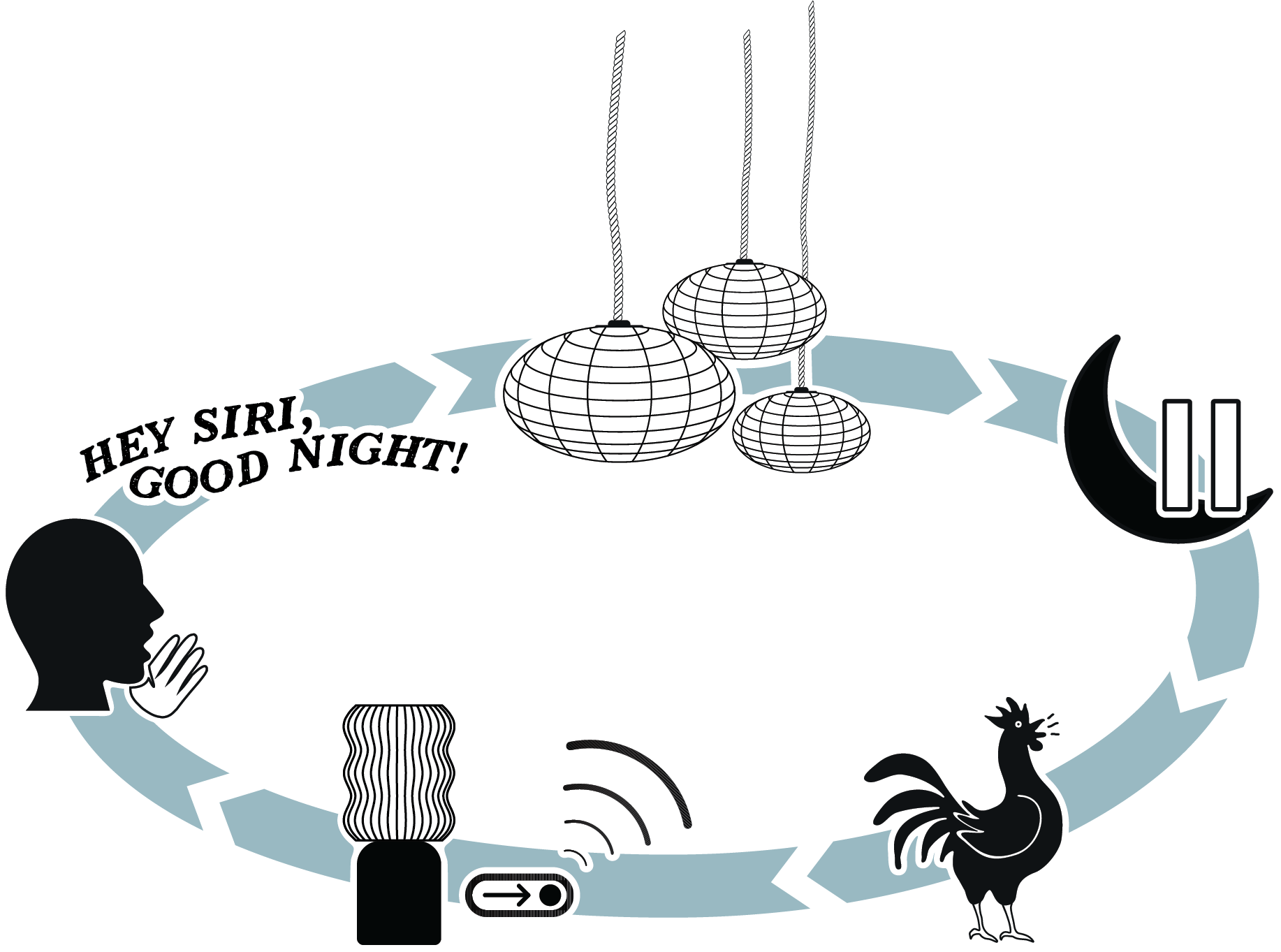
The kitchen light is ambient; it sits there and quietly responds to the day. The ‘Good Night’ sequence is choreography. It runs once, on cue, and you watch it happen. It’s the grand finale for all the automations that turned on the lights throughout the day.
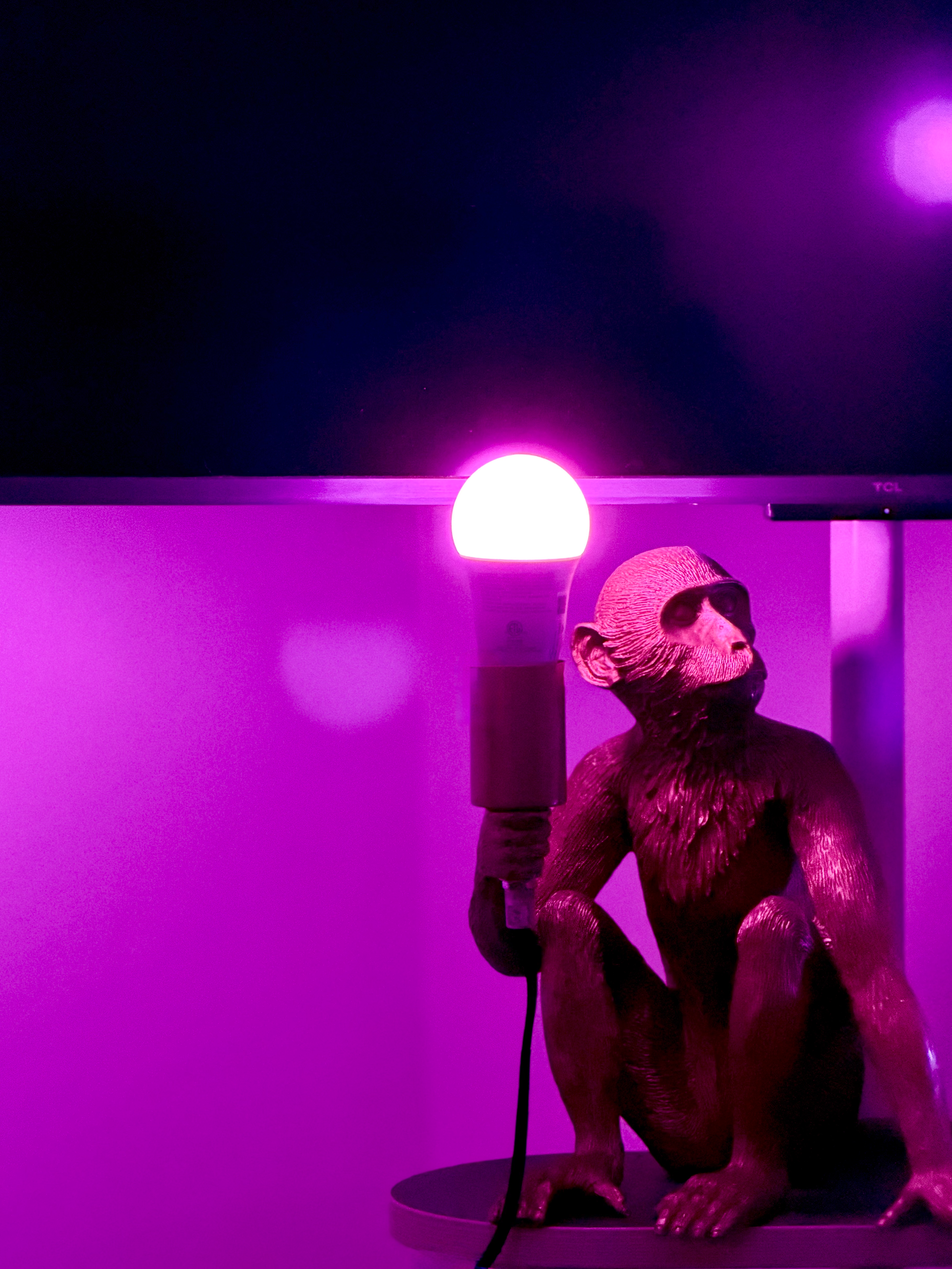
Every night, when we go to bed, we trigger a sequence that walks through the whole apartment, putting it to bed, room by room. The living room lamps go first, six of them, fading out one followed by the next in a random order rather than all at once. Then the kitchen. The bedroom shade starts to close, then the tacky, wonderful monkey lamp (the bedroom’s version of the kitchen mood light). Then, the two pendant lights hanging over the nightstands, the closest lights to the bed, are the final two to go.
The light retreats from the far rooms inward, room by room, until the only thing still glowing is the pair of lamps directly over us, and then those fade too. It feels like the house is tucking us in, giving itself a hug as the day contracts down to the size of a bed and then goes dark. Not "the lights are off." More like the house buttoning up and saying good night.
Could I just turn all the lights off at once? Sure. The light switch is on the wall, but ew. Why let all this potential for control and customization go to waste for an instantaneous blackout when I could stage a performance? This automation exists for no practical reason at all. I built it because I've always loved a good light show, and I finally have the tools to direct my own.
The reason the living room lamps ripple out one by one instead of fading out altogether is a concept straight out of cartoons. In animation, there's a principle that movement flows through an object, one part after another, without any one part starting or stopping in the same frame. This breathes life into the character by creating a less mechanical motion. Turning off the lights all at once is like a cartoon character stopping with little cause or effect. The ripple is a movement that travels through the house, as if it's a single living thing made of independent parts. Same trick as the breathing kitchen light: take something static, a bulb, a room, and give it some motion so it comes to life.
Motion-triggered lights have one obvious flaw, though: they don't know what time it is. Again, the kitchen light turning on for a late-night glass of water is not the vibe. So the very first thing the Good Night shutdown sequence does is set the house-wide flag indicating to Home Assistant that the house is now in sleep mode. Every motion sensor checks that flag first. It’s a virtual switch, known as a helper in HA, that can be toggled on or off. It’s the single source of truth, instead of gluing a "but not at night" condition onto every automation in the house. A separate Good Morning automation clears the helper at 5 am, ready for the first person to wake up and walk into the kitchen.
The shutdown sequence isn’t quite where I want it yet. As with all of this, it will probably evolve over time. Plus, I’m still learning where Home Assistant control ends, the hardware's limits begin, and the gap between the light show in my head and the one in the room is where I spend most of my tuning time. The lights themselves have gorgeous built-in animations, the kind you see natively in the Hue and Govee apps, but those effects are locked inside the vendors' own software, so Home Assistant can't access them. A new constraint that I’m sure will force some creativity out into the open. So if I want a fancy, animated scene in Home Assistant, I have to rebuild it by hand, one transition at a time.
A good example of hardware limitations is something I just discovered with the Govee bulbs above our nightstands. I wanted them to fade to a warm red while simultaneously dimming out, like a little ember dying down, color and brightness shifting together over the same slow breath. Turns out the bulbs won't do it. When I programmed this, the brightness would fade out smoothly, but the color snapped instantly, so instead of a graceful fade to red, I got an abrupt jump to red, followed by a nice dim. The two changes won't travel together in a single step. At least not with this bulb.
You don't learn that from the product page. You learn it at 11 pm, watching a bulb snap to red as if something startled it.
Technically, an Office
Finding that out is basically a hobby, and it has a room. It isn't finished, and it isn't meant to be. It's where I go when I need to create. Being an office is just its day job.
The desk is in here, sure, but so is the 3D printer humming away in the corner, so many craft supplies, and a huge window that floods the room with so much daylight I've never needed the overhead light. There's a lamp too, a little sunrise orb that throws soft gradients, no more functional than the kitchen light and just as happy about it. And it's the perfect excuse to test the one sensor that flunked the kitchen.
Remember the fancy presence sensor, the Aqara FP1E, that couldn't tell me how bright the room was? Turns out it wasn't ideal for a kitchen anyway. It was built for a room where somebody sits still for hours, which is the one thing I reliably do in here, and the one thing a motion sensor cannot forgive.
You know the one. The office bathroom, the library stacks, the conference room that goes dark mid-meeting because typing on a computer doesn’t count as moving. You end up waving your arms at the ceiling like you're landing a plane.
A motion sensor detects movement, not you. Be still long enough, reading, thinking, listening on a call, and it decides the room's empty.
A presence sensor is a different breed. The FP1E uses mmWave (radar), and it's sensitive enough to detect a body in the room even when it’s holding perfectly still, down to the rise and fall of breathing. It isn't asking "Did something move?" It's asking "Is someone here?” So the office light comes on when I walk in and stays on while I sit and work, motionless or not, and only turns off a few minutes after I've actually left. No arm-waving. Knowing something moved isn't the same as knowing someone's there. Now the sensor knows it too.
And that's really what my office is: a room full of the right tools for the job (or are the jobs invented for the right tools?). Right now there's a controller somewhere over the Pacific, shipping from China, for an addressable COB strip going inside a paper lantern. COB packs the LEDs so tightly the strip glows as one continuous line instead of a row of dots, which matters when it's shining through paper. Addressable means each section takes its own color, so the light can move within itself instead of changing all at once. It'll sit behind me and glow through the video calls I'm on all day. This room is for tinkering and building the stuff nobody else makes. Case in point: our ‘dumb’ bedroom shade.
In my relentless quest to “Automate all the things!” I’d installed a little motor that drives the roller shade by gripping its bead chain, the kind of chain you pull to raise and lower a blind. It worked, technically, but the gears that came with it didn't quite fit the chain. The ball chain on our blinds was larger than what the motor was built for, so the gear slipped, loudly, which is a terrible way to wake up.
This problem is too niche to buy a solution (I looked). But surely someone else has hit this, so I went looking on Makerworld and found a few models that seemed promising. Unfortunately, bead chain isn't standardized, and mine was so large that the freshly downloaded gears didn't fit. The community models got me close, but adapting someone else's finished design would have meant importing it into CAD and reverse-engineering every dimension. At that point, it was simply easier to model and build my own from scratch.
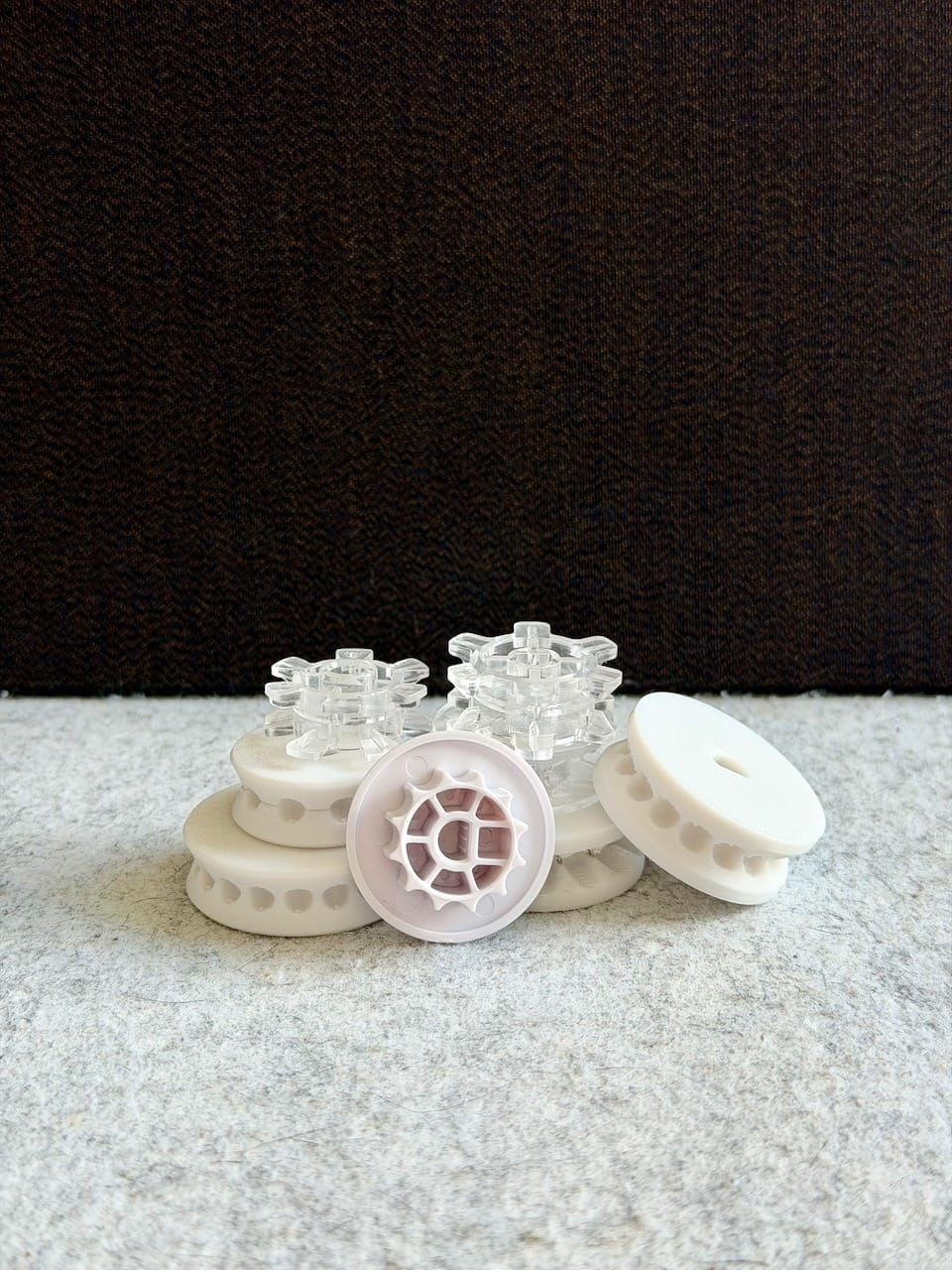
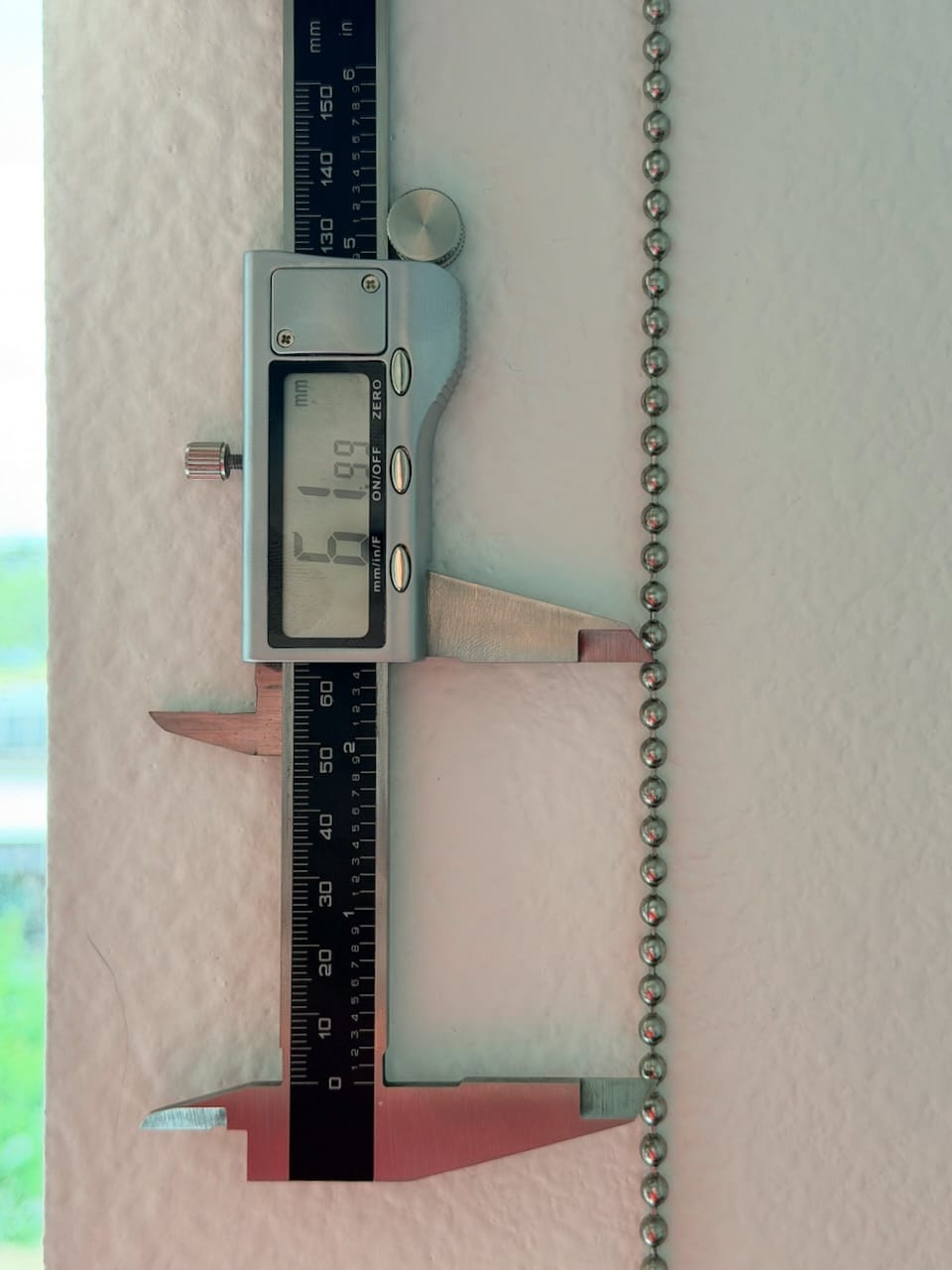
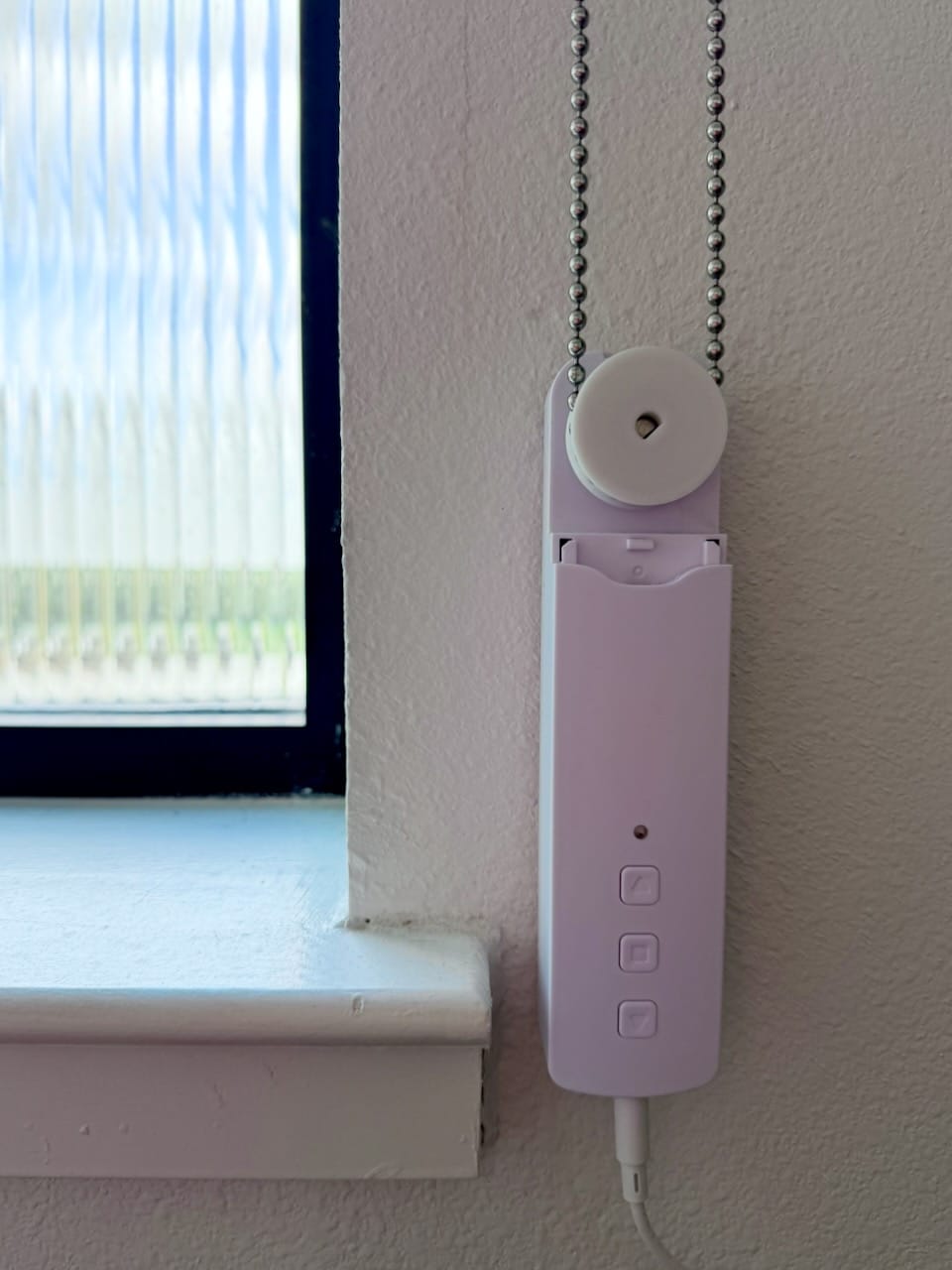
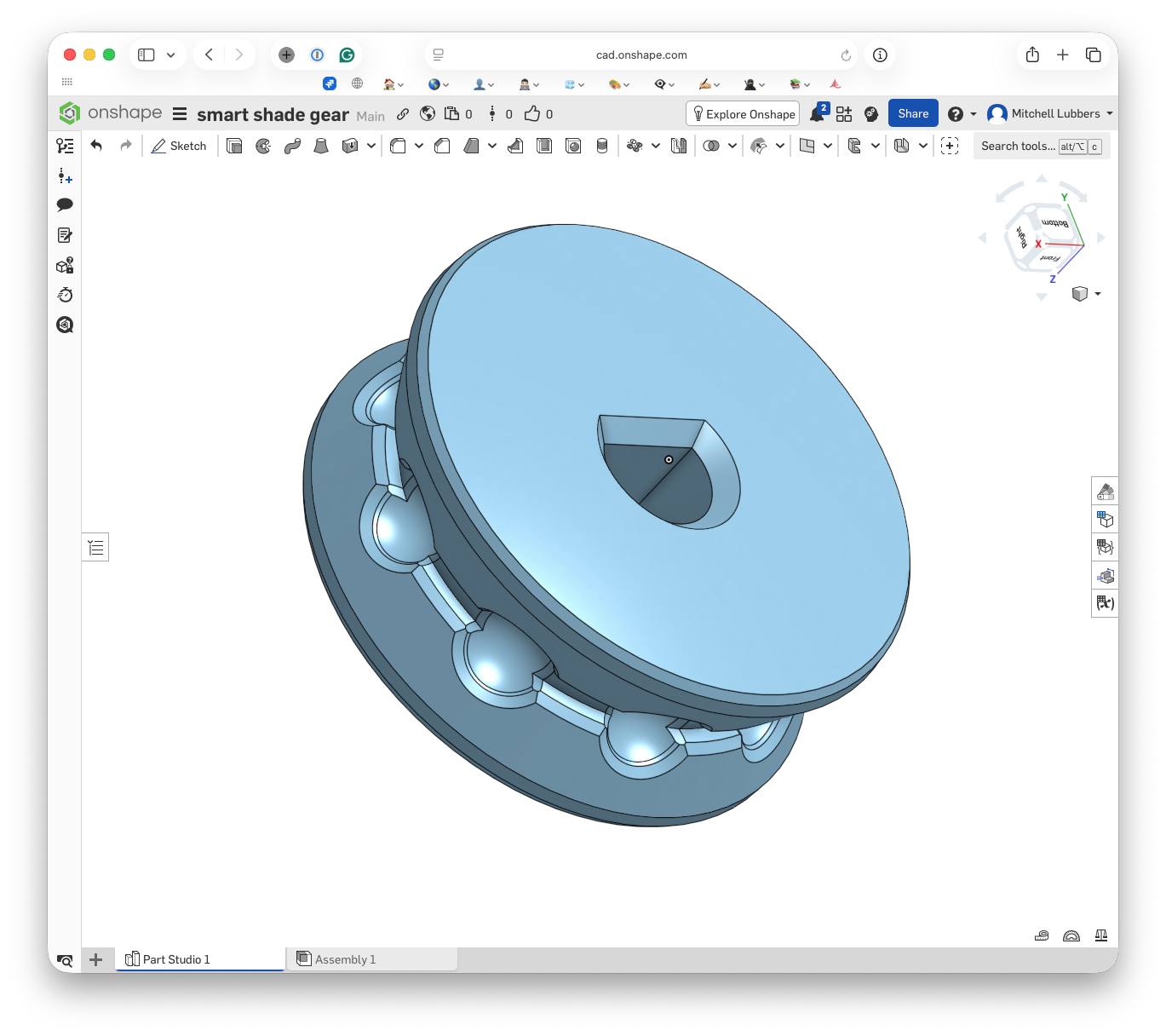
So I put calipers on the chain, measured the ball diameter and the spacing between beads, and modeled a Tinkertoy-looking gear in Onshape with teeth shaped to seat my chain exactly. Printed it, swapped it in, and the grinding was gone. Boom.
That gear is really about the Good Night sequence. Now when the house puts itself to bed, the shades roll down with everything else, the city view out our window sealing slowly away as the lights contract toward the bed. The thing that used to startle us awake is part of what tucks us in.
It took a small plastic part that doesn't exist anywhere else in the world.
- Home Assistant Green + Zigbee Antenna
- Aqara FP1E presence sensor
- ThirdReality combo motion/lux sensor
- Hue bulbs (best colors & experience imo)
- Govee bulbs
- Nanoleaf bulbs
- Zigbee remote (RIP)
Alive, and Ours
I think that's the thread running under all of this, why I’ve obsessed over fixing these tiny problems my entire life.
Two things, really. The first is making a space feel alive, a light that breathes, a house that gets ready for bed, a room that responds to the day instead of just sitting there. The second is making it mine. When the gear I need doesn't exist, I make the gear. When no pre-built automation does what I want, I build the logic myself, one condition at a time. I've gone stretches without leaning into my creativity, and I know exactly what that turns me into: restless, grumpy, bored, unsatisfied. So I don't skip this part anymore. Every one of these projects is a small act of refusing the default, of turning a generic apartment into a specific place that fits our tiny family and nobody else. Alive, and ours.
I won't pretend there's a master plan from here. Mostly what happens is that I live with it until I notice the next thing to fix. It's curiosity, the itch to find one more thing I could improve, and the satisfaction of doing it. And it's reachable in a way it wasn’t years ago, thanks to the open-source community, the people posting their fixes, the cheap hardware, and many conversations with Claude that helped me over the walls I'd have gotten stuck at before. It's most of why this post exists. I'm only here because someone wrote down what they figured out. This is me doing the same thing.
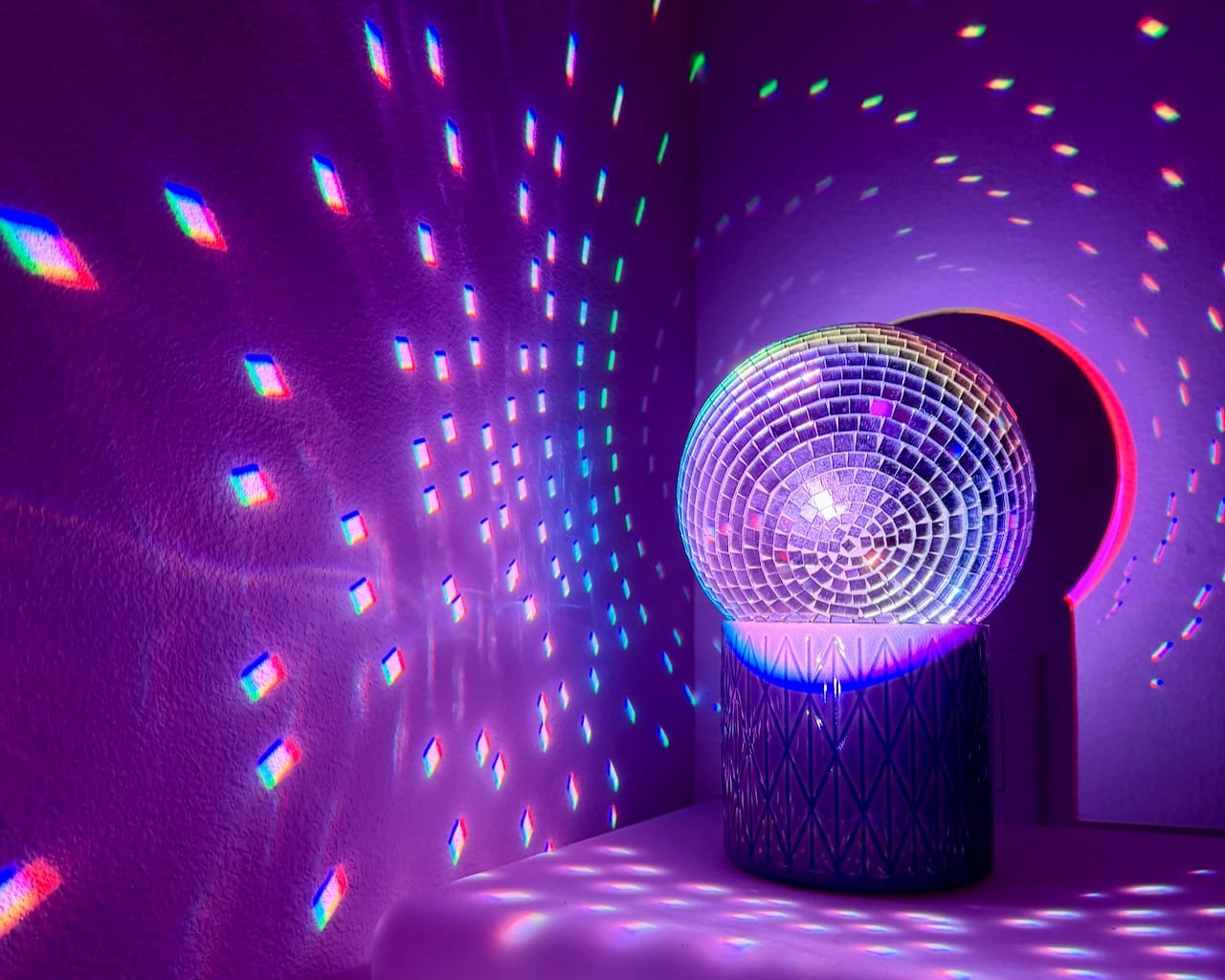
My brain doesn't move in straight lines, so there's a long list of things I want to build and write about. The disco ball is my next project and the one I'm most excited for: a pin spot on a Home Assistant-connected DMX controller, finally, the theatrical lighting protocols I used to only have access to from backstage, now running in my living room. The kid who watched the lighting rigs instead of the actors has the parts on his desk and is just waiting for a free weekend. There's a Gridfinity build taking over my bathroom drawers that has nothing to do with smart homes and everything to do with the same itch. Somehow, once you own a 3D printer, you start noticing ‘problems’ that could be solved by a tiny custom 3D part. Those are stories for another day.
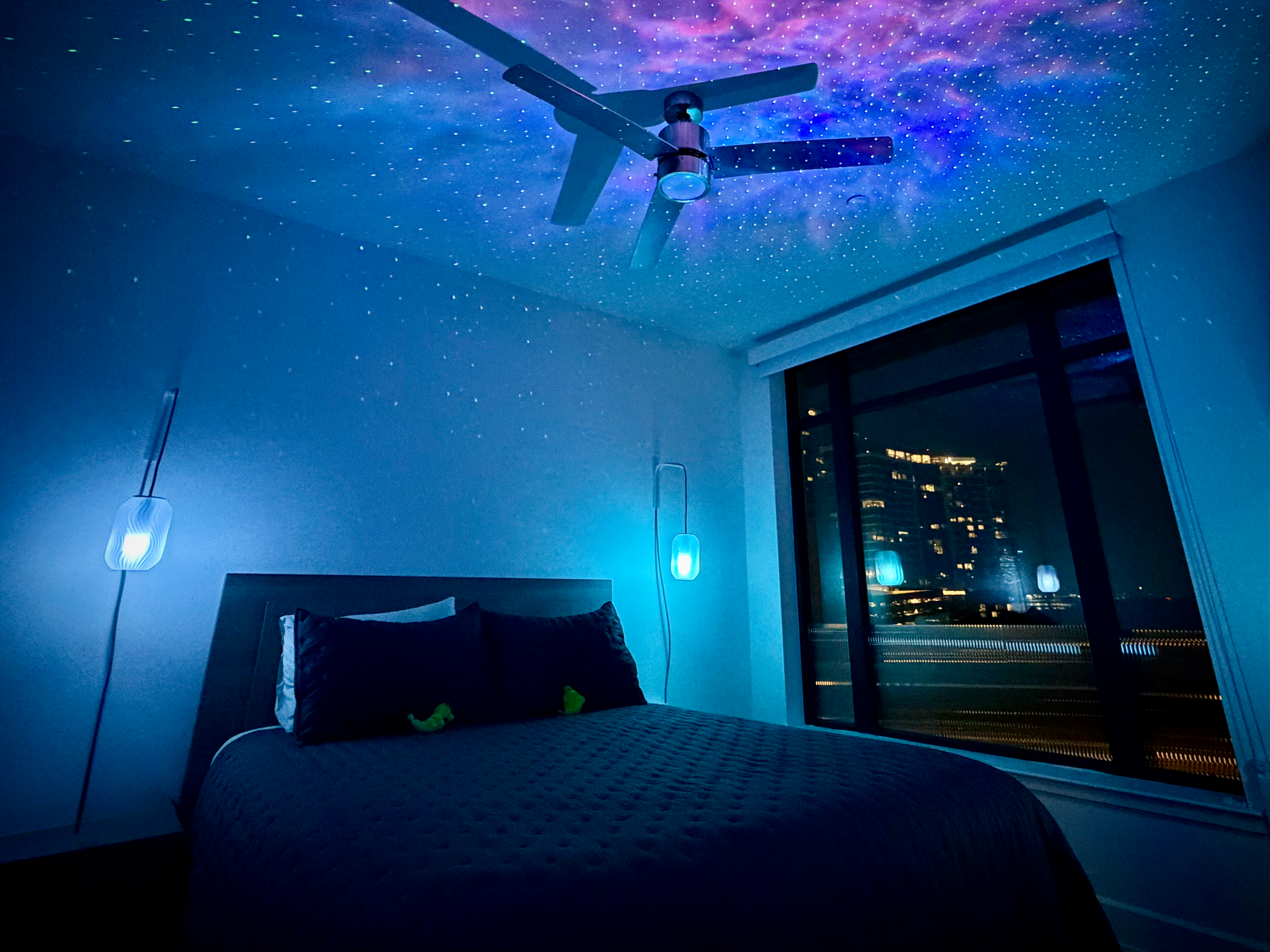
For now, my favorite part is the end of the day. It's late, the window's open, the city glowing just outside. I say ‘Hey Siri, Good Night’, and the house starts to fold itself up around us, the far rooms going dark first, the light drawing inward room by room until it's just the two lamps over our heads. Then the shades roll down, the city easing out of view. The lights over the bed fade last.
And then it's just us, in a room that finally feels like ours.